
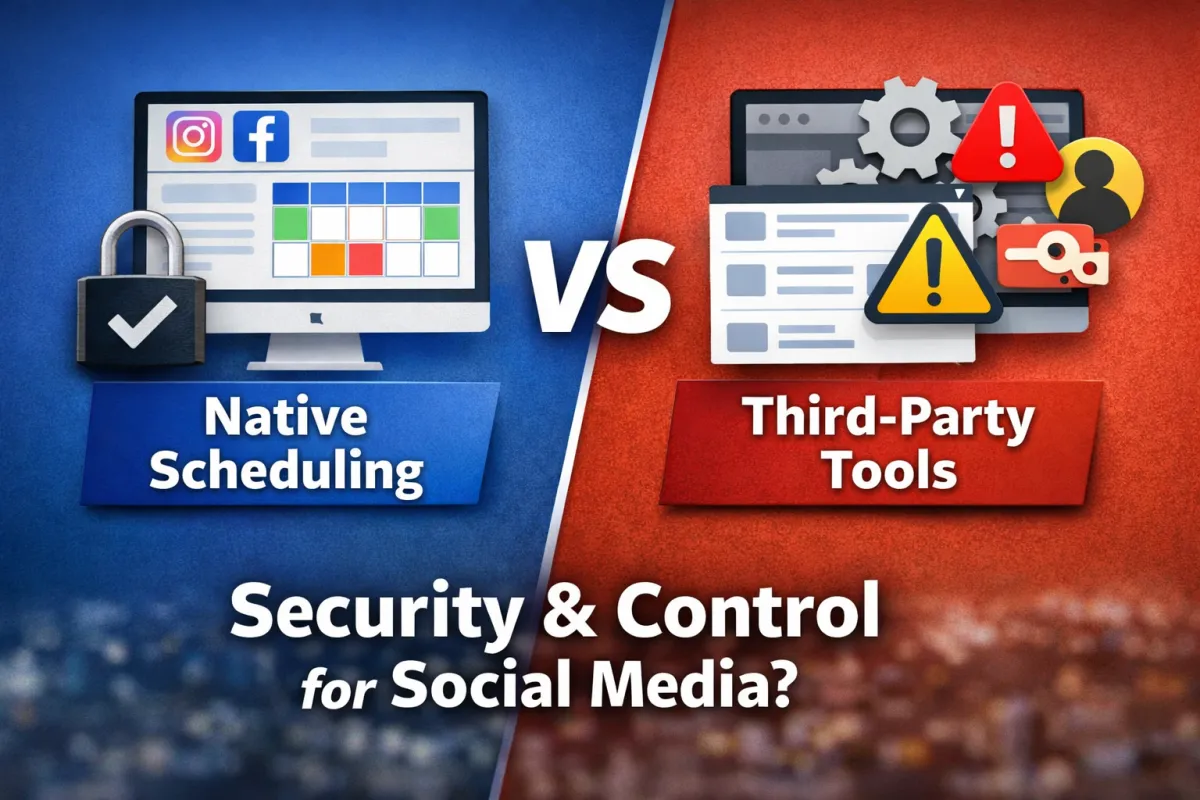
Native Social Media Scheduling vs Third-Party Tools: A Security-First Perspective
Running a modern business brand on social media looks simple on the surface. Content gets created. Posts go live. Engagement happens.
Behind the scenes, however, the systems used to publish that content quietly shape risk, stability, and long-term control.
This article breaks down one question business owners keep revisiting: Is it better to use native platform schedulers or third-party scheduling tools?
The answer matters less for convenience and far more for security, access discipline, and operational clarity.
What follows is not a rule, a warning, or a trend-based take. It’s a look at what tends to happen in real businesses when different publishing systems are used over time—and why many experienced operators default to native tools even when they require more effort.
Proof From Real-World Experience
Across agencies and private client work, one pattern repeats. When third-party tools enter the content stack, security conversations become more complex. Credentials get shared. Permissions expand. Responsibility blurs. When issues occur, accountability becomes harder to trace.
In contrast, native schedulers keep posting activity inside the platform owned by the company itself. That single change removes entire categories of risk. The platform controls access. The audit trail lives in one place. The number of external dependencies drops immediately.
In one recent client situation, the decision to rely on native scheduling was made purely for peace of mind. The outcome was not dramatic growth or a viral spike. The outcome was stability. Content published consistently. Access stayed clean. No additional tools required trust beyond the platform already hosting the account.
Over time, these small decisions shape how resilient a brand becomes.
What This Means (Explained Simply)
Social platforms allow content to be scheduled in two main ways:
Native schedulers built directly into the platform
Third-party tools that connect through permissions or APIs
Both can publish posts. That’s where the similarity ends.
Native schedulers operate inside the platform’s own system. Third-party tools add another company, another database, and another access layer between the brand and its audience.
The difference isn’t about features. It’s about exposure.
Why This Matters for Business Owners
For a business owner, social media accounts are not just content channels. They are:
Brand assets
Lead generators
Reputation holders
Revenue drivers
When access to those assets expands unnecessarily, the downside compounds faster than the upside.
Convenience saves minutes. Security failures cost months.
That asymmetry is why many disciplined operators accept more manual work in exchange for fewer risks.
Native Scheduling: How It Functions in Practice
Meta Business Suite allows businesses to manage both Facebook and Instagram content from one dashboard. Posts can be scheduled, duplicated, and published across platforms without leaving the system owned by Meta.
From an operational standpoint, native scheduling offers:
Posting without sharing account passwords
Clear role-based access
Centralized activity logs
Immediate revocation of permissions when needed
There is a learning curve, as with any tool. Once understood, it becomes predictable. Predictability matters more than novelty in long-term systems.
Instagram also continues to expand native publishing features directly inside the app and desktop interfaces. That expansion signals where the platform expects professional usage to live.
Third-Party Scheduling Tools: Where Complexity Enters
Third-party schedulers promise efficiency. In isolation, that promise looks reasonable.
In practice, several tradeoffs tend to appear over time:
Expanded Access Surface
Each tool requires permissions. Those permissions often exceed simple posting rights. The more tools connected, the harder it becomes to map who can do what.
Credential Storage Outside the Platform
Even API-based tools store tokens or access keys. That introduces dependency on another company’s security posture, update cycles, and breach response.
Blurred Accountability
When something goes wrong, responsibility fragments. The platform points to the tool. The tool points to the platform. The business absorbs the outcome.
None of this means every third-party tool fails. It means the system becomes harder to control.
Step-by-Step Breakdown: A Security-First Publishing System
Step 1: Define Who Needs Access
Not every contributor needs posting rights. Many only need visibility or content upload capability.
Step 2: Use Platform Roles
Native tools allow tiered access. These roles reduce the need to share full credentials.
Step 3: Centralize Publishing
Keeping scheduling inside one native dashboard prevents fragmentation.
Step 4: Limit External Connections
Every connected tool expands exposure. Fewer connections simplify audits and reviews.
Step 5: Review Access Regularly
As teams evolve, access that once made sense often becomes outdated.
These steps don’t eliminate risk. They reduce unnecessary risk.
Strategic Insight: Simplicity Compounds
Complex systems fail in complex ways. Simple systems fail visibly and earlier.
Native scheduling keeps content publishing close to the platform’s core. That proximity creates fewer unknowns. Over time, fewer unknowns translate into fewer surprises.
This principle shows up across business systems, not just social media. When the downside of failure outweighs the upside of convenience, simplicity tends to win.
Common Mistakes to Avoid
Equating convenience with effectiveness
Assuming all tools carry equal risk
Sharing credentials instead of assigning roles
Layering tools without reassessing access
Blaming platforms for failures caused by system sprawl
These mistakes don’t show immediate consequences. They surface later, when fixing them becomes harder.
FAQ
Does using third-party schedulers automatically reduce reach?
There is no confirmed platform rule stating that reach is reduced by default. Observed performance differences often trace back to engagement timing, workflow changes, or system friction.
Why do some agencies avoid third-party tools entirely?
Avoidance usually stems from risk management, not algorithm fears. Fewer tools mean fewer breach points.
Are native schedulers harder to use?
They can feel slower at first. Familiarity reduces friction over time.
Is Meta Business Suite enough for most businesses?
For many brands managing Facebook and Instagram, it covers core publishing needs without adding external dependencies.
When do third-party tools make sense?
They tend to appear in environments prioritizing scale and speed over exposure reduction. That tradeoff varies by business.
Final Perspective
Choosing native schedulers is not about claiming penalties or chasing hidden advantages. It’s about minimizing variables in systems that carry real brand risk.
Security-first decisions rarely feel exciting. They feel quiet. They reduce future explanations. They limit what can go wrong.
For many businesses, that tradeoff is worth the extra work.
📩 Need Help With Your Specific Situation?
If you want Resurreccion Media to look at your business and give you clarity on your next step, reach out to us.
We help founders, service businesses, companies, and creators build content marketing systems that scale.
📊 Take the Free Growth Scorecard
Get an instant score that shows your bottlenecks and next moves.
You’ll get a free business audit the moment you finish.
It takes less than 5 minutes.
(Click here to get your Scorecard)
▶️ Subscribe to Our YouTube Channel
We post simple, clear videos that help business owners grow without confusion.
You can find us at @resurreccionmedia.


